/ THE SHORT ANSWER
See the method. Keep the context.
The visual companion
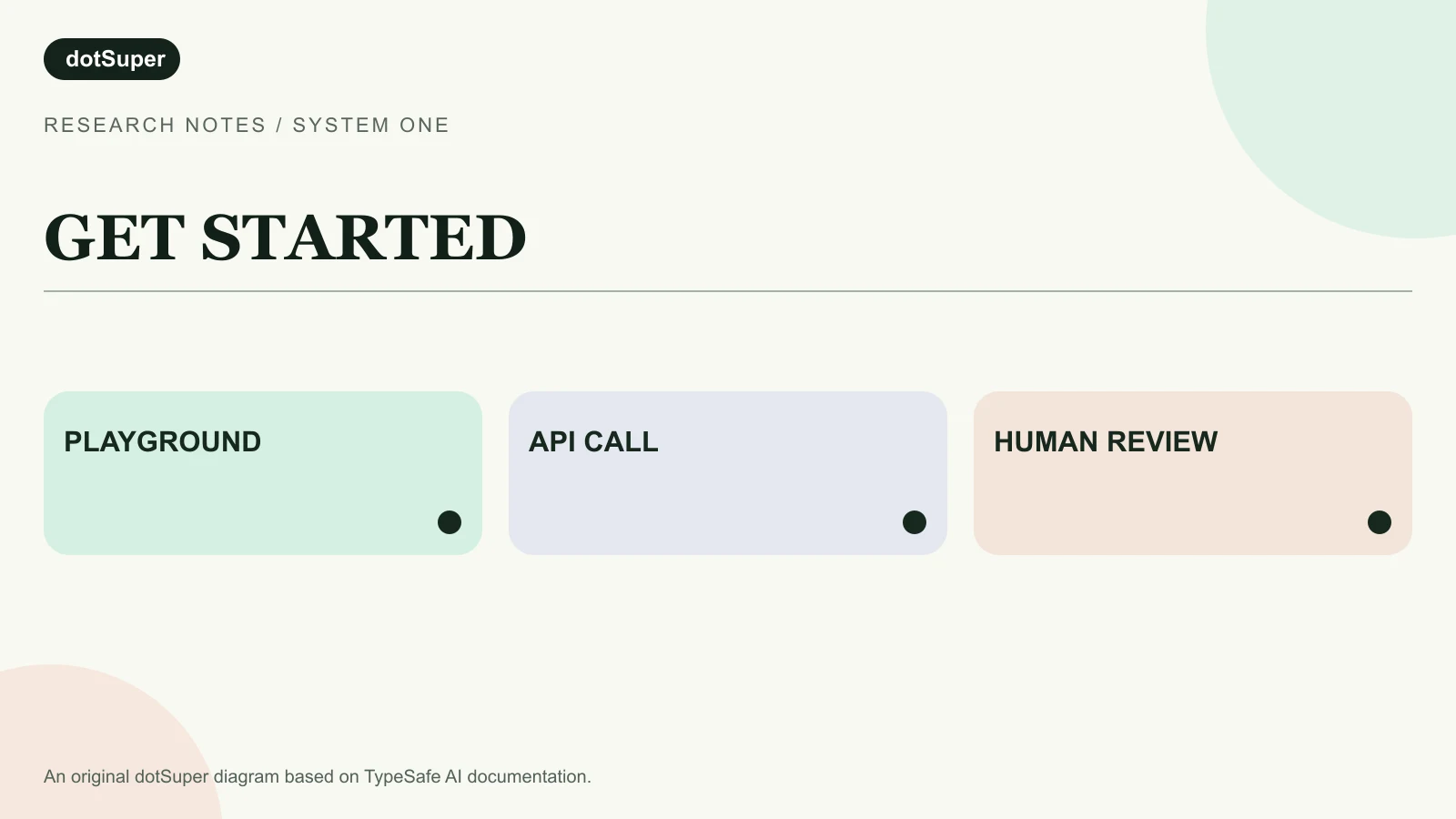
Credit: Original dotSuper research diagram based on cited TypeSafe AI documentation.
Reuse: Original dotSuper artwork. No TypeSafe image or logo reproduced.
Read the diagram: A first Jev experiment should end in a controlled review path, not an unchecked action.
Prepare de-identified text state and a bounded question. Call the System One API. Inspect the typed answer and uncertainty. Let code route only a safe next step, with human review for unclear or consequential cases.
Thumbnail credit and reuse
Credit: Original dotSuper research diagram based on cited TypeSafe AI documentation.
Reuse: Original dotSuper artwork. No TypeSafe image or logo reproduced.
- 01Use the Playground before integrating an API.
- 02Send state plus a Choice, Score or Noul question to the System One endpoint.
- 03Treat confidence as a review signal and test on local cases before automation.
/ dotSuper point of view
The fastest route to learning Jev is one reversible, measurable decision with a documented fallback.
1. Pick a tiny decision, not an entire process
A good first example is which team should review an incoming service request.
Define billing, technical, sales and unclear before opening the model.
Do not begin with whether to pay a supplier, deny a candidate or close a safety incident.
Write down what a correct route looks like for at least 20 historical cases.
Include mixed-intent and unclear messages.
These examples become a baseline for deciding whether the model adds value later.
2. Try the TypeSafe Playground
Sign in if access is available, paste a short message as the state, and add a Noul question such as whether it expresses urgency.
The Playground is a place to learn the request shape, not proof that a production workflow is safe.
Next, try a Choice question with explicit labels for your team's queues.
Compare the answer with your own judgment.
Change the wording to include negation or two competing issues and see whether the result remains sensible.
Early access and account requirements can change, so use the current TypeSafe console instructions.
3. Create an API key and make one call
Do not place it in a browser bundle or a public repository.
TypeSafe documents POST https://api.typesafe.ai/v1/systemone with a Bearer authorization header and JSON body.
The minimal request needs state, model and questions.
Set model to jev-latest for the current alias.
For a first test, send a text state and one Choice question whose criteria map billing, technical, sales and unclear to concise descriptions.
TypeSafe's quick start shows a full cURL example and a multi-question example; copy its current syntax rather than relying on a screenshot.
| Field | Example | Purpose |
|---|---|---|
| state | A de-identified customer message | Evidence the model evaluates |
| model | jev-latest | The model alias to call |
| questions.department.type | choice | A bounded question type |
| questions.department.criteria | billing, technical, sales, unclear | Allowed answers with written meanings |
4. Read the response correctly
A Choice answer includes the selected option, a distribution over your options and confidence.
A Score answer includes an ordered rubric and confidence.
Noul returns a yes-probability, not a Choice-style confidence field.
Check the current API reference before mapping these into code.
Do not confuse a valid field with a verified fact.
If Jev returns technical, your application should still check the customer record and any hard business rule.
A confidence score measures the shape of the model's probability distribution; it is not a guarantee that this specific answer is right.
5. Add a safe branch in ordinary code
Keep account changes, payments and messages behind your existing permissions.
Make the action idempotent so retries do not create duplicate tickets or payments.
If the API returns an authentication, validation, rate-limit or overload error, do not silently guess a category.
The TypeSafe API reference documents 401, 422, 429 and 529 responses.
Log the failure, retry transient errors with backoff and leave the case available for human handling.
6. Evaluate before you automate
Count first-route accuracy, critical misses, review time, response latency and total cost per accepted case.
Review errors by language and channel.
Use the results to choose thresholds rather than copying a number from another company's example.
TypeSafe documents important Jev 1.13 limits: no image, audio or video input; weaker performance on math, counting and date comparisons; and sensitivity to adversarial text.
Use deterministic code for exact calculations and a separate model when the outcome must be written prose.
Where dotSuper can help
A useful deployment proves that the business decision is defined, measured and owned. dotSuper can help select the right queue, prepare a representative case set, write acceptance criteria and design the review and escalation path.
Bring one repetitive decision and a small set of de-identified examples.
The pilot should end with a clear go, change or stop decision, not a demo that merely looks impressive.
What this page cannot conclude
- 01Access to the TypeSafe console and API may be limited; follow current account instructions.
- 02This guide describes an illustrative test, not a dotSuper deployment or a successful API call performed for this article.
- 03Keep API keys server-side and obtain appropriate rights for any customer data used in a pilot.
- 04Version, limits and pricing were checked on 24 September 2026 and may change.
Sources
- 01TypeSafe quick startTypeSafe AI · accessed Sep 24, 2026
- 02System One API referenceTypeSafe AI · accessed Sep 24, 2026
- 03TypeSafe models and input limitsTypeSafe AI · accessed Sep 24, 2026
- 04Confidence and thresholdsTypeSafe AI · accessed Sep 24, 2026
- 05Jev 1.13 limitationsTypeSafe AI · accessed Sep 24, 2026
Our editorial standard · Found an error? Send a correction with its source.
/ CITE OR SHARE THIS GUIDE
Make the evidence easy to verify.
When you reference this guide, link to its canonical URL. That gives readers one stable place for the evidence, limitations and future updates.
dotSuper Research Desk. (September 24, 2026). How to Start Using Jev AI. dotSuper. https://dotsuper.net/feeds/market-intelligence/getting-started-with-jev-ai