Carbon and sustainability / Operating frameworks
Carbon Software Selection Scorecard
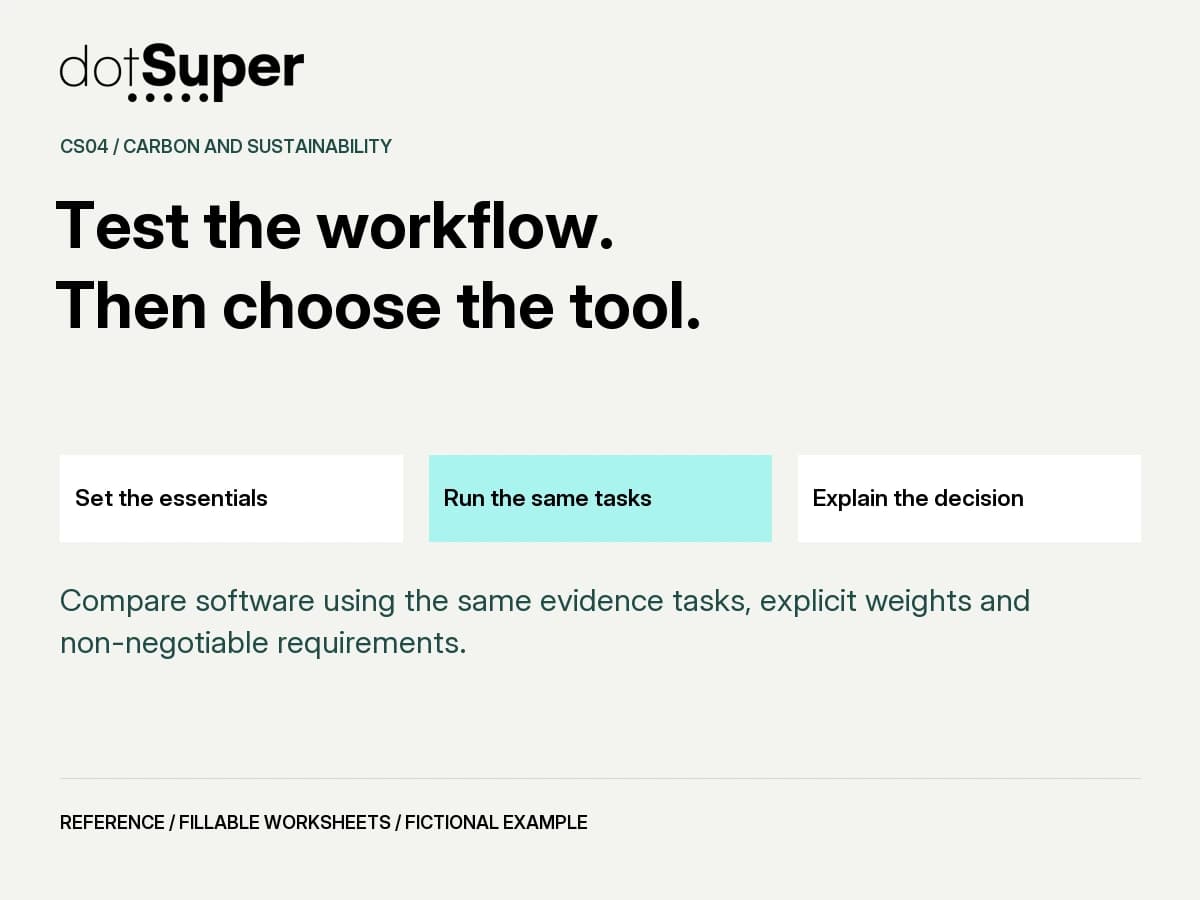
Compare software using the same evidence tasks, explicit weights and non-negotiable requirements.
The method, in brief
How can your team use the carbon software selection scorecard?
Compare software using the same evidence tasks, explicit weights and non-negotiable requirements. Recorded shortlist or hold
Start with the decision
Compare software using the same evidence tasks, explicit weights and non-negotiable requirements.
Original procurement aid for carbon-data operations. It does not certify a product, verify an inventory or rank named vendors.
Recorded shortlist or hold
Why the evidence comes first
Scores summarise declared procurement preferences. They are not evidence of compliance, accuracy, assurance or guaranteed ROI. Keep mandatory outcomes, cost assumptions, unsupported criteria and sensitivity beside the total.
- A dashboard can look complete while the evidence chain is difficult to reconstruct.
- A common trial exposes the cost of review, correction, exports and eventual exit.
- Weights make preferences visible. Mandatory failures cannot be averaged away.
1. Define the decision
Specify workflow, users, reporting method, workload and comparison period. Include a controlled spreadsheet as an option where appropriate.
2. Set non-negotiable gates
Agree authorised access, essential method support, approval controls and a complete usable evidence export before rating.
3. Choose criteria and weights
Pick task-specific criteria and integer weights from 0 to 5 before seeing results. At least one weight must be positive.
4. Run identical evidence tasks
Try source tracing, method/version changes, exceptions, approval, exports and handover with the same scoped data. Record limitations and operating effort.
5. Interpret with discipline
Use 0 failed, 1 major workaround, 2 minor limitation, 3 demonstrated as required. Unknown is not zero. Show totals only for complete common ratings. Failed or unresolved gates still block selection.
Worksheet 1: What workflow must the tool support?
Name method, users, workload, integrations, review owner and comparison horizon.
Example response: One-site evidence collection and reviewed customer packs; no autonomous regulatory submission.
Record unresolved answers explicitly, with an owner and next action. Do not invent a value to complete the form.
Worksheet 2: Which requirements are non-negotiable?
Define pass evidence for data rights/access, method support, approvals and complete evidence export.
Example response: Export must preserve source links, versions, review history and a usable format.
Record unresolved answers explicitly, with an owner and next action. Do not invent a value to complete the form.
Worksheet 3: Which criteria matter for this decision?
Choose up to six comparative criteria and an observable task for each. Add rows in the CSV.
Example response: Trace one figure, revise a factor, resolve an exception, export the complete pack.
Record unresolved answers explicitly, with an owner and next action. Do not invent a value to complete the form.
Worksheet 4: What weights will you use?
Use 0-5 and record why, before trials. Keep the same weights across all options.
Example response: Evidence traceability 4; exception handling 3; operating effort 3.
Record unresolved answers explicitly, with an owner and next action. Do not invent a value to complete the form.
Worksheet 5: What will every option demonstrate?
Use the same synthetic/authorised data, tasks, version, reviewer and acceptance criteria.
Example response: Run the same missing-record and corrected-factor scenarios, then export and hand over.
Record unresolved answers explicitly, with an owner and next action. Do not invent a value to complete the form.
Worksheet 6: What happened in each task?
Record evidence IDs, failures, limitations, manual work and total ownership costs over the same horizon.
Example response: Option A preserves source links; Option B export omits review history.
Record unresolved answers explicitly, with an owner and next action. Do not invent a value to complete the form.
Worksheet 7: Which mandatory gates passed or failed?
Any fail blocks selection; any unresolved gate holds the decision regardless of the diagnostic score.
Example response: Option B fails the complete-export gate and remains blocked.
Record unresolved answers explicitly, with an owner and next action. Do not invent a value to complete the form.
Worksheet 8: What are the evidence-backed ratings?
Use 0-3 only after a task is observed. Leave unknowns blank; use the score table and CSV.
Example response: A: 3,2,1. B: 2,3,2 for the same three fictional criteria.
Record unresolved answers explicitly, with an owner and next action. Do not invent a value to complete the form.
Worksheet 9: What is the diagnostic result?
Only for complete comparable rows: 100 x sum(weight x rating) / (3 x sum(weights)). No compliance interpretation.
Example response: A = 70.0; B = 76.7. B still fails a mandatory gate.
Record unresolved answers explicitly, with an owner and next action. Do not invent a value to complete the form.
Worksheet 10: Would reasonable weights change the choice?
Record trade-offs, unresolved criteria, costs and whether the ranking is fragile.
Example response: A stronger effort weight changes the preference; record this before a purchase commitment.
Record unresolved answers explicitly, with an owner and next action. Do not invent a value to complete the form.
Worksheet 11: What commitment is justified?
Choose reject, investigate, keep the current tool or run a limited pilot with conditions.
Example response: Consider an Option A pilot after all essentials are evidenced; reject B for this scope until export is fixed.
Record unresolved answers explicitly, with an owner and next action. Do not invent a value to complete the form.
Worksheet 12: What makes this decision expire?
Name vendor/version, workflow, method, contract and cost changes that require review.
Example response: New method or export change reopens gates, ratings and the shortlist decision.
Record unresolved answers explicitly, with an owner and next action. Do not invent a value to complete the form.
Use decision gates, not a confidence badge
These gates control the next action. They do not determine legal compliance, verified emissions or entitlement to credits.
| Condition | Next action |
|---|---|
| Essential method or data-access condition fails | BLOCK selection for this use case, regardless of the score. |
| Security, ownership, approval or exit unresolved | HOLD until the responsible reviewer resolves the requirement. |
| Any common positive-weight rating is unknown | DO NOT produce a comparable total; show the missing evidence. |
| Score relies on marketing claims or unlike tasks | REPEAT the scoped demonstration; do not manufacture a ranking. |
A higher score can still fail the decision.
Two fictional options run the same three tasks. The team has set weights before the trial. All three ratings are observed for this illustration. Other essential gates must also be resolved before any real pilot.
Working decision: B IS BLOCKED DESPITE ITS HIGHER TOTAL
A may proceed to a scoped pilot only if every essential gate is evidenced as passed. These invented scores illustrate the rule and are not a vendor recommendation.
0 = failed task; 1 = major workaround; 2 = minor limitation; 3 = demonstrated as required. Totals are normalised preference scores, not probabilities or compliance percentages.
| Criterion / weight | Option A | Option B |
|---|---|---|
| Evidence traceability / 4 | 3 | 2 |
| Exception handling / 3 | 2 | 3 |
| Operating effort / 3 | 1 | 2 |
| Diagnostic total / 100 | 70.0 | 76.7 |
| Mandatory complete-export gate | Pass | Fail |
Use the worksheet with your team
Download the five-page PDF to work through the canvas. The CSV provides a working-log structure. Keep a controlled copy, identify the reviewer and record version changes.
This webpage is a readable guide, not an automated assessment. The PDF contains form fields; compatibility has not been independently tested across PDF readers.
How the optional score works
Choose common criterion weights from 0 to 5 and observed ratings from 0 to 3. Formula: 100 * sum(weight * rating) / (3 * sum(weight)).
All common positive-weight criteria observed and a positive weight sum. Mandatory gates pass separately.
Withhold comparable total; never convert to zero.
Diagnostic procurement preference only; not compliance, probability or guaranteed outcome.
Do not calculate a percentage when total weight is zero. A failed mandatory gate overrides a higher diagnostic score.
See the method. Keep the context.
The visual companion
Credit: Original dotSuper educational content and diagrams.
Reuse: Copyright dotSuper. No new public reuse licence is assigned; third-party sources retain their own terms.
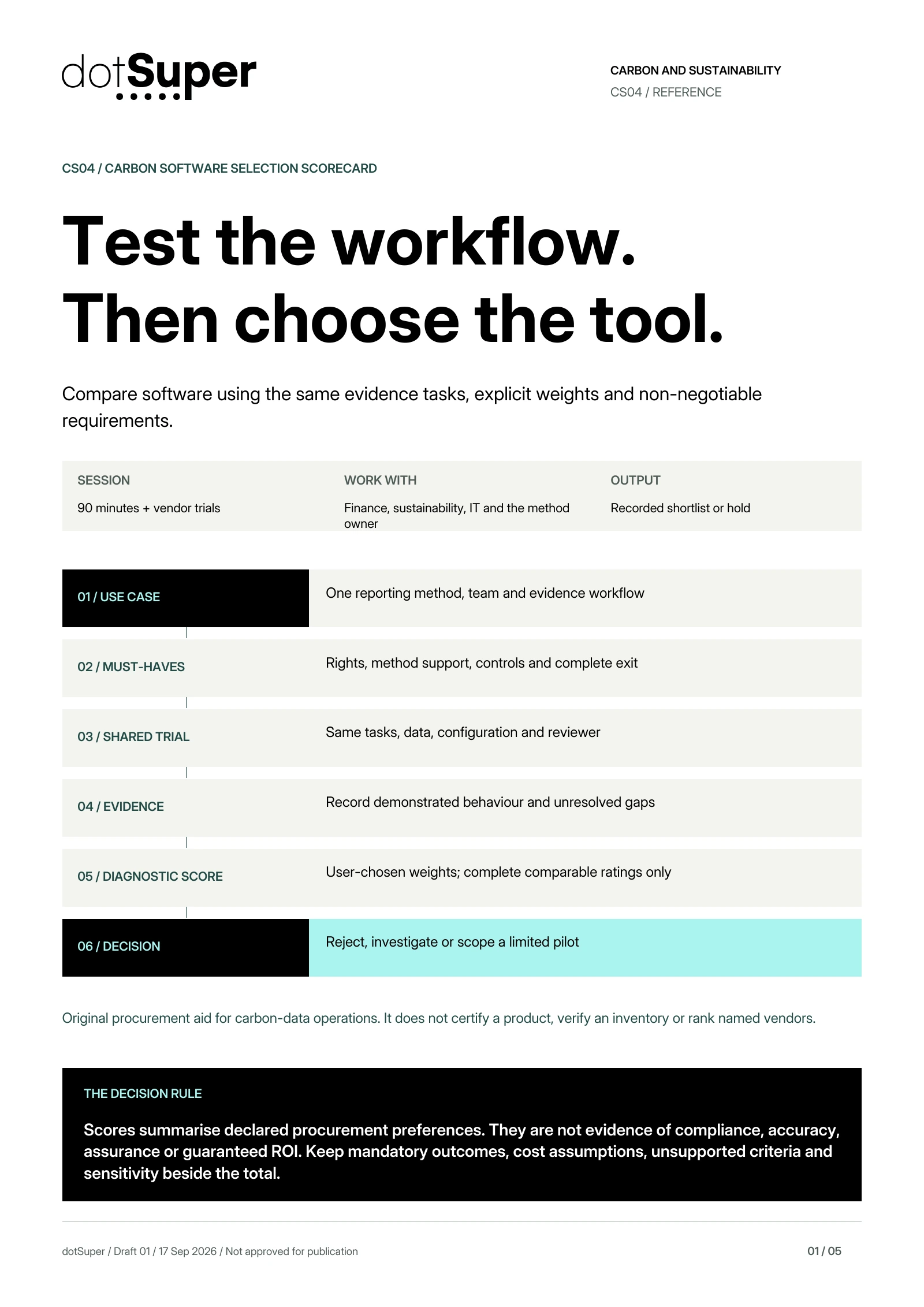
Read the diagram: Carbon Software Selection Scorecard. Original dotSuper decision aid, with the full method below.
Compare software using the same evidence tasks, explicit weights and non-negotiable requirements.
01 / USE CASE: One reporting method, team and evidence workflow
02 / MUST-HAVES: Rights, method support, controls and complete exit
03 / SHARED TRIAL: Same tasks, data, configuration and reviewer
04 / EVIDENCE: Record demonstrated behaviour and unresolved gaps
05 / DIAGNOSTIC SCORE: User-chosen weights; complete comparable ratings only
06 / DECISION: Reject, investigate or scope a limited pilot
Original dotSuper procurement rubric. No vendor is evaluated, ranked or endorsed. Demonstrated software behaviour does not replace accounting judgement, legal review or independent verification.
Take it into your next working session
Keep the source credits with the file. Check the reuse terms and adapt the method to your context.
Credit: Original dotSuper educational content and diagrams.
Reuse: Copyright dotSuper. No new public reuse licence is assigned; third-party sources retain their own terms.
Credit: Original dotSuper educational content and diagrams.
Reuse: Copyright dotSuper. No new public reuse licence is assigned; third-party sources retain their own terms.
Thumbnail credit and reuse
Credit: Original dotSuper educational content and diagrams.
Reuse: Copyright dotSuper. No new public reuse licence is assigned; third-party sources retain their own terms.
Sources, context and limits
Keep the evidence beside the method.
- Original dotSuper procurement rubric. No vendor is evaluated, ranked or endorsed. Demonstrated software behaviour does not replace accounting judgement, legal review or independent verification.
- Technical, security, procurement and accounting owners must approve use-case-specific gates.
- Complete the same evidence tasks and document costs before a real selection.
- No legal-compliance or assurance label may be inferred from any score.
- No independent expert sign-off, assurance or customer-specific compliance determination is claimed. Geographic tags identify readers, not legal applicability.
- ghg: GHG Protocol Corporate Standard
WRI and WBCSD · accessed Sep 17, 2026
- ghg_quality: GHG Protocol Corporate Standard, revised edition
WRI and WBCSD · accessed Sep 17, 2026
- verification: Verification of CBAM emissions
European Commission, DG TAXUD · accessed Sep 17, 2026
- eu_library: CBAM legislation and guidance
European Commission, DG TAXUD · accessed Sep 17, 2026
/ CITE OR SHARE THIS GUIDE
Make the evidence easy to verify.
When you reference this guide, link to its canonical URL. That gives readers one stable place for the evidence, limitations and future updates.
dotSuper Research Desk. (September 17, 2026). Carbon Software Selection Scorecard. dotSuper. https://dotsuper.net/feeds/applied-systems/carbon-software-selection-scorecard
Bring it into the work
Start with one real carbon-data request
Bring your buyer request and sample records. Discuss how dotSuper can help organise evidence, owners and review workflows. Specialist accounting, legal decisions and independent verification remain separate.
Discuss your workflow