Carbon and sustainability / Operating frameworks
Carbon Data Readiness Canvas
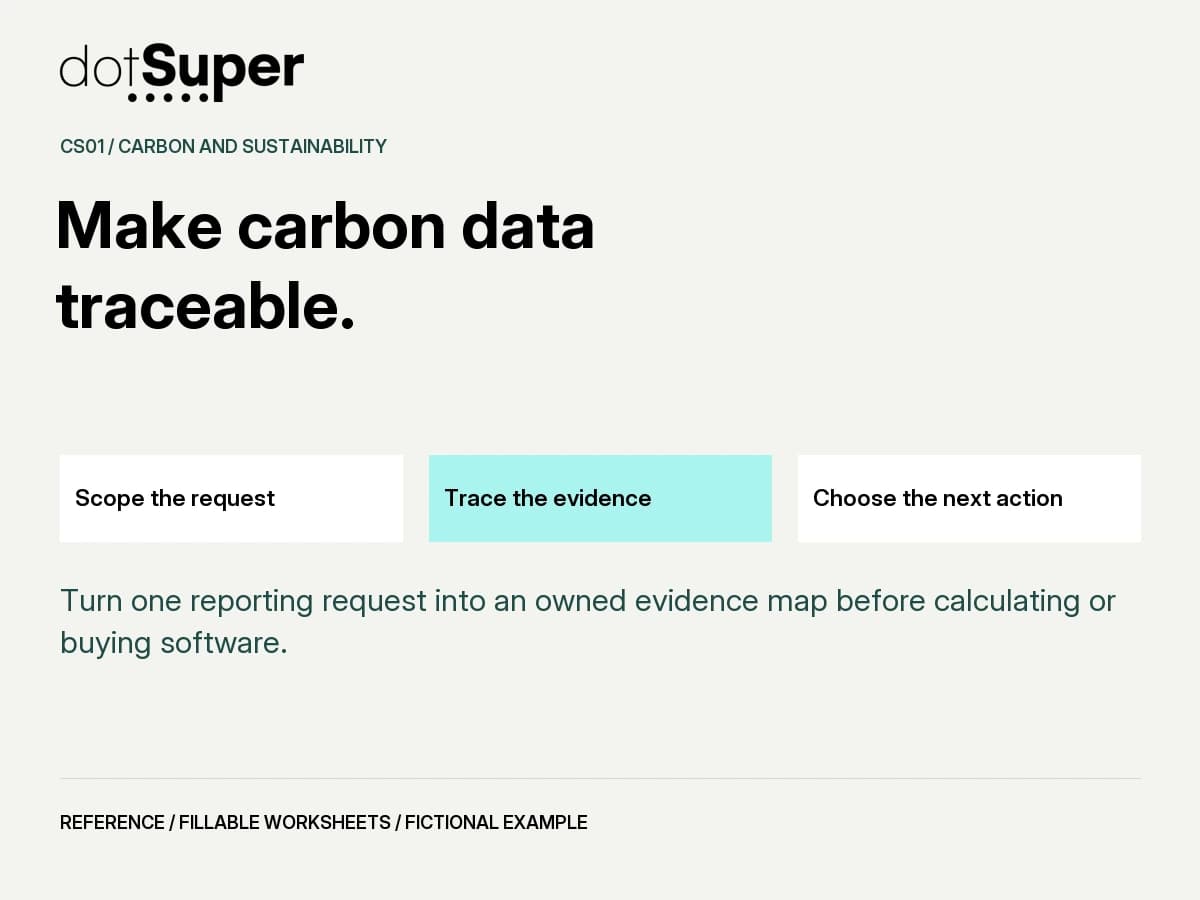
Turn one reporting request into an owned evidence map before calculating or buying software.
The method, in brief
How can your team use the carbon data readiness canvas?
Turn one reporting request into an owned evidence map before calculating or buying software. Owned gap-and-evidence plan
Start with the decision
Turn one reporting request into an owned evidence map before calculating or buying software.
Cross-market data preparation. The selected reporting method and local duties still require qualified review.
Owned gap-and-evidence plan
Why the evidence comes first
Use a visible evidence status for each record: missing, collected, reconciled or reviewer accepted. These are workflow states, not a carbon score. No quantity of complete records compensates for a wrong boundary.
- A complete folder can still answer the wrong question. Fix the purpose and boundary first.
- A defensible workflow lets another person trace a reported figure to records and decisions.
- Unknowns are work items with owners, not zero emissions.
1. Agree the use case
Bring the actual customer or reporting request. Separate company inventory, product footprint, CBAM and project-credit needs.
2. Name the boundary
Record the proposed entity/site, reporting period and exclusions. Obtain accounting review before treating the boundary as settled.
3. Trace one record
Start with one activity record and follow units, source, factor version, transformation and review. Expand with the CSV.
4. Assign the gaps
Identify the impact of every missing period, unclear unit or unmatched record. Give each an owner and next step.
5. Choose a release status
Use collecting, ready for specialist review or hold. Internal completeness is not external assurance.
Worksheet 1: What answer is being requested?
Name the recipient, purpose, deliverable and actual due date. Attach the request reference.
Example response: Buyer Q-014 asks for a company inventory; product-specific data needs a separate clarification.
Record unresolved answers explicitly, with an owner and next action. Do not invent a value to complete the form.
Worksheet 2: What is inside the proposed boundary?
List entity, sites, activities, period and exclusions. Name the reviewer for this choice.
Example response: Aster Works, Pune site, Apr 2025-Mar 2026; leased warehouse treatment unresolved.
Record unresolved answers explicitly, with an owner and next action. Do not invent a value to complete the form.
Worksheet 3: Which records support the answer?
For each source, record file ID, owner, unit, frequency and period coverage. Use the CSV for extra rows.
Example response: Meter M-02, electricity invoices, kWh, finance owner; two months missing.
Record unresolved answers explicitly, with an owner and next action. Do not invent a value to complete the form.
Worksheet 4: Which method decisions are approved?
Record method/factor source, version, geography, year, units and reviewer. Keep unapproved choices visible.
Example response: Factor selection awaiting accounting review; no emission factor assumed.
Record unresolved answers explicitly, with an owner and next action. Do not invent a value to complete the form.
Worksheet 5: Can another person trace one figure?
Record the source-to-output path, conversions, allocation and reconciliation reference.
Example response: Invoice > meter ledger > period reconciliation > calculation version > reviewer record.
Record unresolved answers explicitly, with an owner and next action. Do not invent a value to complete the form.
Worksheet 6: What is missing or inconsistent?
Name the gap, impact, treatment proposal and owner. Do not insert a silent zero.
Example response: July and August invoices absent; ask finance and compare meter readings.
Record unresolved answers explicitly, with an owner and next action. Do not invent a value to complete the form.
Worksheet 7: Is the purpose and boundary resolved?
Record evidence and reviewer. Use unresolved until the purpose, scope and exclusions are understood.
Example response: Unresolved: the buyer has not clarified whether it wants a company or product answer.
Record unresolved answers explicitly, with an owner and next action. Do not invent a value to complete the form.
Worksheet 8: Are critical records reconcilable?
Record coverage and material conflicts. A record being present does not mean it is appropriate.
Example response: Hold: unexplained meter-to-invoice discrepancy requires facilities review.
Record unresolved answers explicitly, with an owner and next action. Do not invent a value to complete the form.
Worksheet 9: Are methods and assumptions reviewable?
Record who accepted each material method choice and which assumptions remain open.
Example response: Ready for review only; factor and allocation decisions await the accounting specialist.
Record unresolved answers explicitly, with an owner and next action. Do not invent a value to complete the form.
Worksheet 10: What happens next, and who owns it?
Choose one action, named owner, target date and evidence that will close the gap.
Example response: Finance retrieves invoices; facilities explains the meter change; reviewer confirms boundary.
Record unresolved answers explicitly, with an owner and next action. Do not invent a value to complete the form.
Worksheet 11: What can be shared at this stage?
Choose collecting, ready for specialist review or hold, with a reason and authorised recipient.
Example response: Share a missing-records list, not an assured footprint or an unqualified carbon claim.
Record unresolved answers explicitly, with an owner and next action. Do not invent a value to complete the form.
Worksheet 12: What change requires a fresh review?
Record boundary, method, period or source changes that invalidate the decision.
Example response: New site, revised factor, replaced invoice or changed buyer request reopens review.
Record unresolved answers explicitly, with an owner and next action. Do not invent a value to complete the form.
Use decision gates, not a confidence badge
These gates control the next action. They do not determine legal compliance, verified emissions or entitlement to credits.
| Condition | Next action |
|---|---|
| Purpose or boundary unclear | HOLD calculation release; ask the accounting reviewer to resolve scope. |
| Critical source, unit or period missing | COLLECT or reconcile; disclose the gap and proposed treatment. |
| Material factor/allocation choice unapproved | ESCALATE to the method owner; do not let software choose silently. |
| Request asks for assurance or a public claim | ESCALATE to the appropriate independent or legal reviewer. |
The invoices exist. The answer is not ready.
Fictional Aster Works receives a customer questionnaire for its Pune operation. Finance has most electricity invoices, operations has diesel records and a warehouse is leased. No emissions total is calculated here.
Working decision: COLLECT + SPECIALIST REVIEW
The team can share its evidence plan and unresolved questions. It cannot yet present a complete inventory or assured footprint.
This fictional example demonstrates record handling. It contains no verified emissions estimate or claim about a real company.
| Observation | Action and decision |
|---|---|
| Buyer says "carbon footprint" | Clarify company versus product scope before answering. |
| Two electricity months absent | Finance requests originals; missing is not recorded as zero. |
| Meter replaced mid-year | Facilities documents the mapping and reconciliation. |
| Warehouse boundary unresolved | Accounting reviewer determines the treatment. |
Use the worksheet with your team
Download the five-page PDF to work through the canvas. The CSV provides a working-log structure. Keep a controlled copy, identify the reviewer and record version changes.
This webpage is a readable guide, not an automated assessment. The PDF contains form fields; compatibility has not been independently tested across PDF readers.
See the method. Keep the context.
The visual companion
Credit: Original dotSuper educational content and diagrams.
Reuse: Copyright dotSuper. No new public reuse licence is assigned; third-party sources retain their own terms.
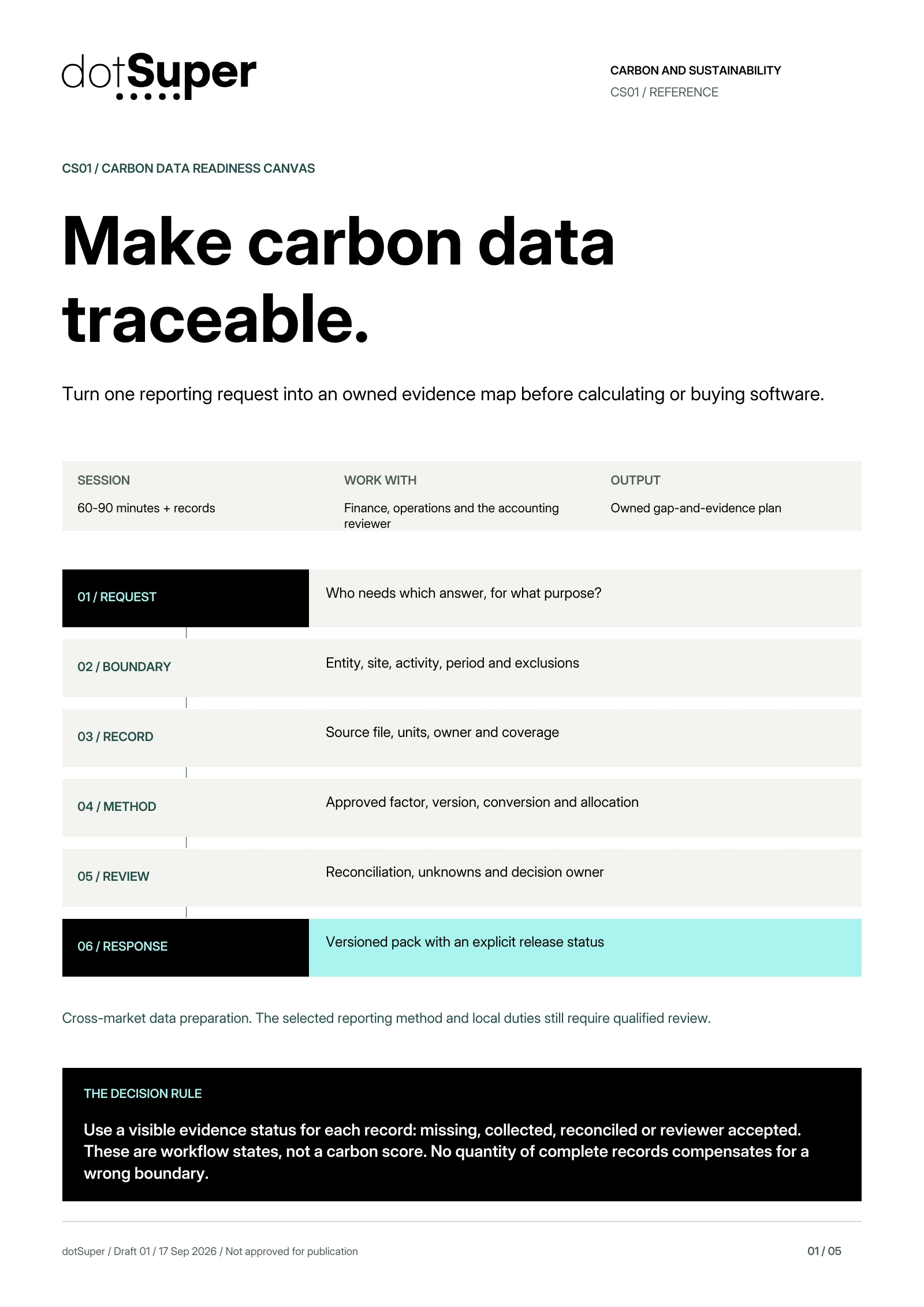
Read the diagram: Carbon Data Readiness Canvas. Original dotSuper decision aid, with the full method below.
Turn one reporting request into an owned evidence map before calculating or buying software.
01 / REQUEST: Who needs which answer, for what purpose?
02 / BOUNDARY: Entity, site, activity, period and exclusions
03 / RECORD: Source file, units, owner and coverage
04 / METHOD: Approved factor, version, conversion and allocation
05 / REVIEW: Reconciliation, unknowns and decision owner
06 / RESPONSE: Versioned pack with an explicit release status
Original dotSuper preparation method. It is not an official GHG Protocol template, inventory calculation, audit or assurance opinion. Credits are recorded separately from gross inventory emissions.
Take it into your next working session
Keep the source credits with the file. Check the reuse terms and adapt the method to your context.
Credit: Original dotSuper educational content and diagrams.
Reuse: Copyright dotSuper. No new public reuse licence is assigned; third-party sources retain their own terms.
Credit: Original dotSuper educational content and diagrams.
Reuse: Copyright dotSuper. No new public reuse licence is assigned; third-party sources retain their own terms.
Thumbnail credit and reuse
Credit: Original dotSuper educational content and diagrams.
Reuse: Copyright dotSuper. No new public reuse licence is assigned; third-party sources retain their own terms.
Sources, context and limits
Keep the evidence beside the method.
- Original dotSuper preparation method. It is not an official GHG Protocol template, inventory calculation, audit or assurance opinion. Credits are recorded separately from gross inventory emissions.
- Accounting specialist reviews boundary, factors, uncertainty and missing-data treatment.
- Local legal applicability and any public claim require separate review.
- No emission calculation is supplied or approved by this canvas.
- No independent expert sign-off, assurance or customer-specific compliance determination is claimed. Geographic tags identify readers, not legal applicability.
- ghg: GHG Protocol Corporate Standard
WRI and WBCSD · accessed Sep 17, 2026
- ghg_quality: GHG Protocol Corporate Standard, revised edition
WRI and WBCSD · accessed Sep 17, 2026
- scope2: GHG Protocol Scope 2 Guidance
WRI and WBCSD · accessed Sep 17, 2026
- offsets: Can carbon offsets reduce a company's Scope 3 emissions?
GHG Protocol Technical Assistance · accessed Sep 17, 2026
/ CITE OR SHARE THIS GUIDE
Make the evidence easy to verify.
When you reference this guide, link to its canonical URL. That gives readers one stable place for the evidence, limitations and future updates.
dotSuper Research Desk. (September 17, 2026). Carbon Data Readiness Canvas. dotSuper. https://dotsuper.net/feeds/applied-systems/carbon-data-readiness-canvas
Bring it into the work
Start with one real carbon-data request
Bring your buyer request and sample records. Discuss how dotSuper can help organise evidence, owners and review workflows. Specialist accounting, legal decisions and independent verification remain separate.
Discuss your workflow